ACB Patch FAQ
What does Attach to Game do?
This enables the launcher to apply hacks to the game, such as camera speed >10.
What does the Remove Music button do?
This disables non-whispers music in the game, effectively making music only configure the whispers.
Why is the patch so big?
The patch just downloads all the multiplayer files. This makes it easier for us to handle, but means the download takes longer.
Is the patched version compatible with the vanilla version?
Yes, but nobody should be playing vanilla.
Where are the DLC maps?
The bad maps aren't included in the patch by default. You can open the patcher and download them from there.
I don't have a gaming PC, can I use GeForce NOW or another game streaming service?
Try your computer first before giving up on it. The game is well over a decade old now, so most basic laptops can run it just fine. Your phone could probably run it if it ran Windows. You can't stream the game, though, no.
What controllers are recommended for ease of use?
PS5 and Xbox 360 controllers (NOT Xbox One etc.) are plug-and-play under Windows. PS5 controllers allow manual button mapping within the game.
Troubleshooting
An error pops up complaining about "msvcr120.dll" missing.
Download and install the 32-bit (x86) version of Microsoft Visual C++ 2013.
Windows Defender says the launcher is a virus or trojan.
This is a false alarm. If interested, here's an explanation of why this happens.
Windows will try to fight the program as hard as it can. To tell Windows everything's fine, do the following:
-
Go to settings, then search windows security, then "Virus & threat protection settings" and click on "Manage settings".
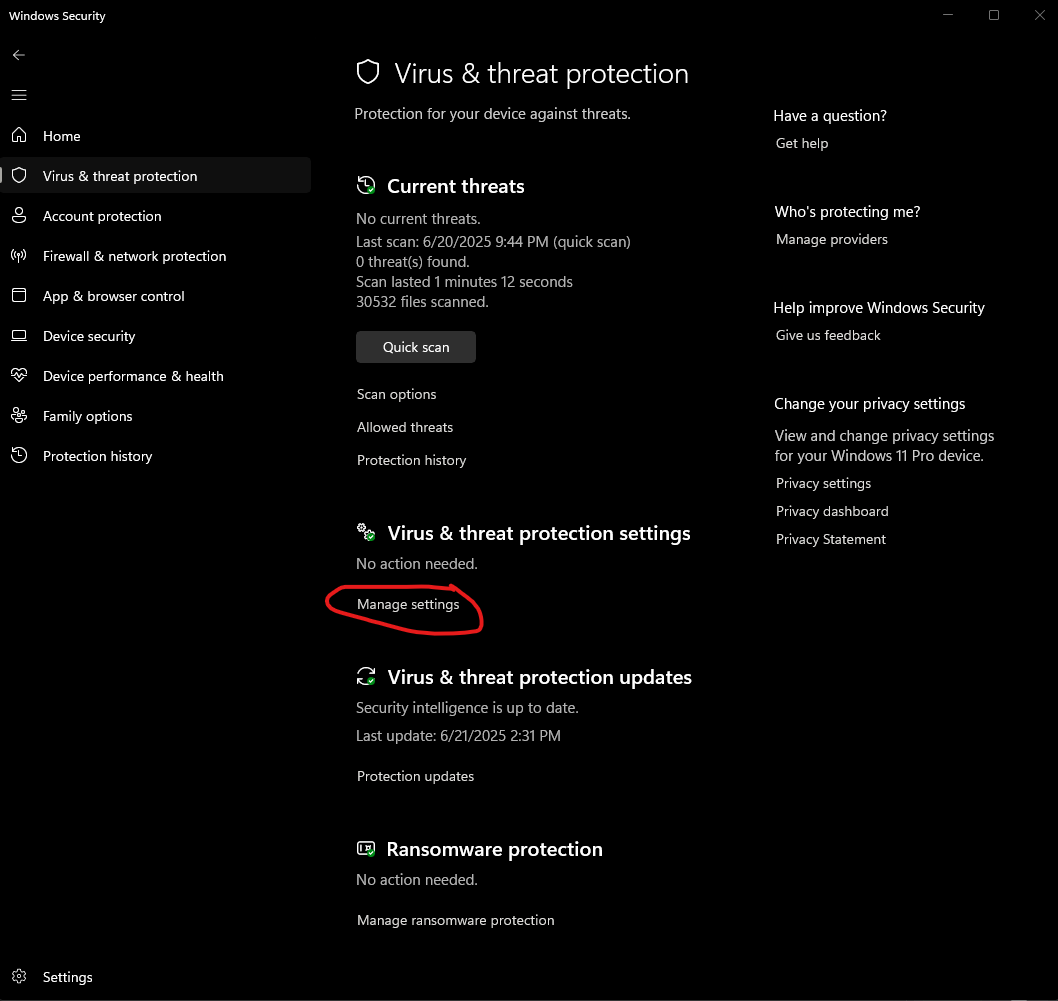
-
Turn off "real-time protection", then try to download it again and it should work. DO NOT turn on real-time protection back on yet, otherwise it will delete the launcher.
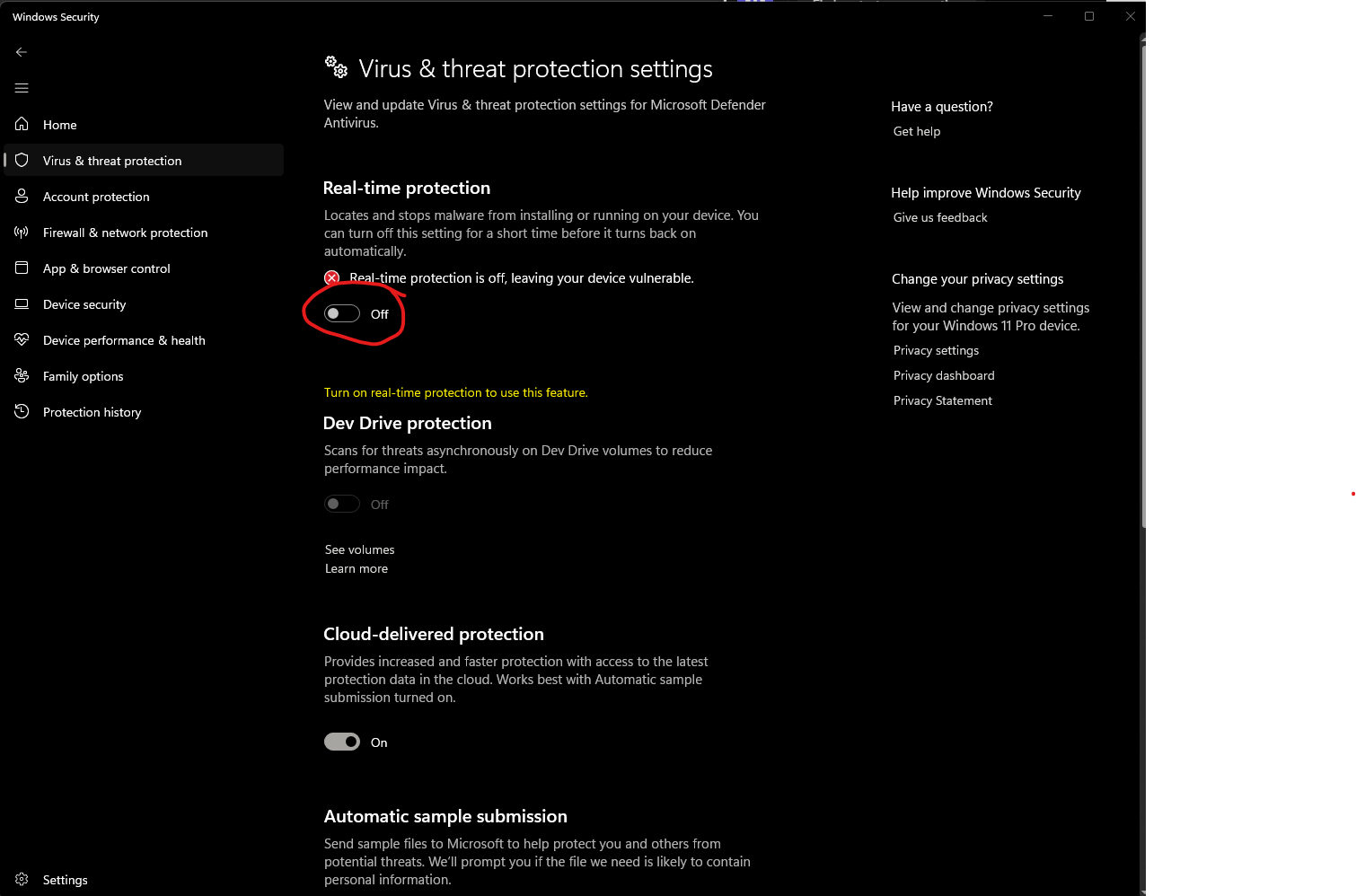
-
Run the launcher to make sure it works.
-
Close the launcher and go back to the virus protection page, then scroll down to the bottom and click "Add or remove exclusions"
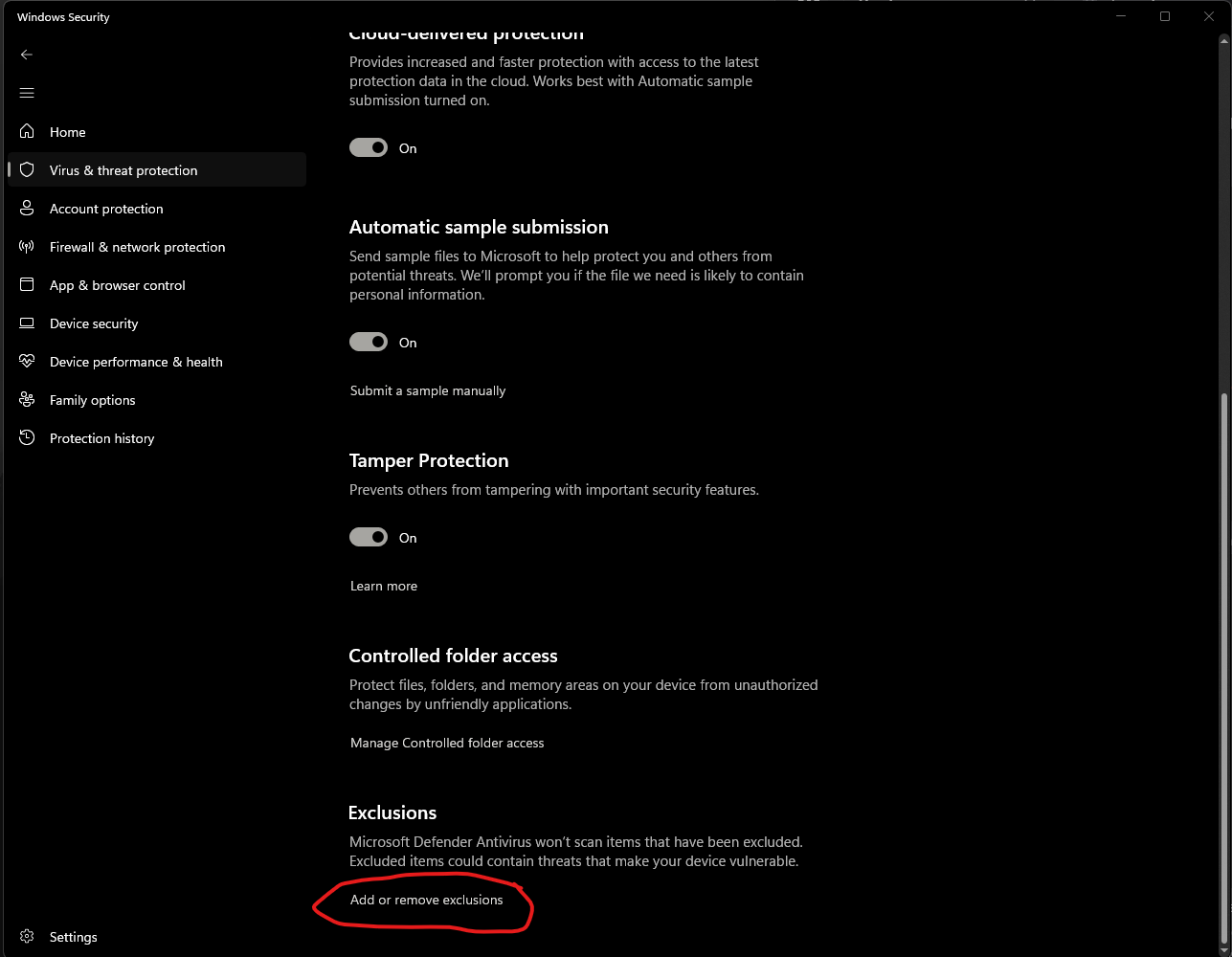
-
Then hit "Add an exclusion" and find the launcher on your computer and pick it.
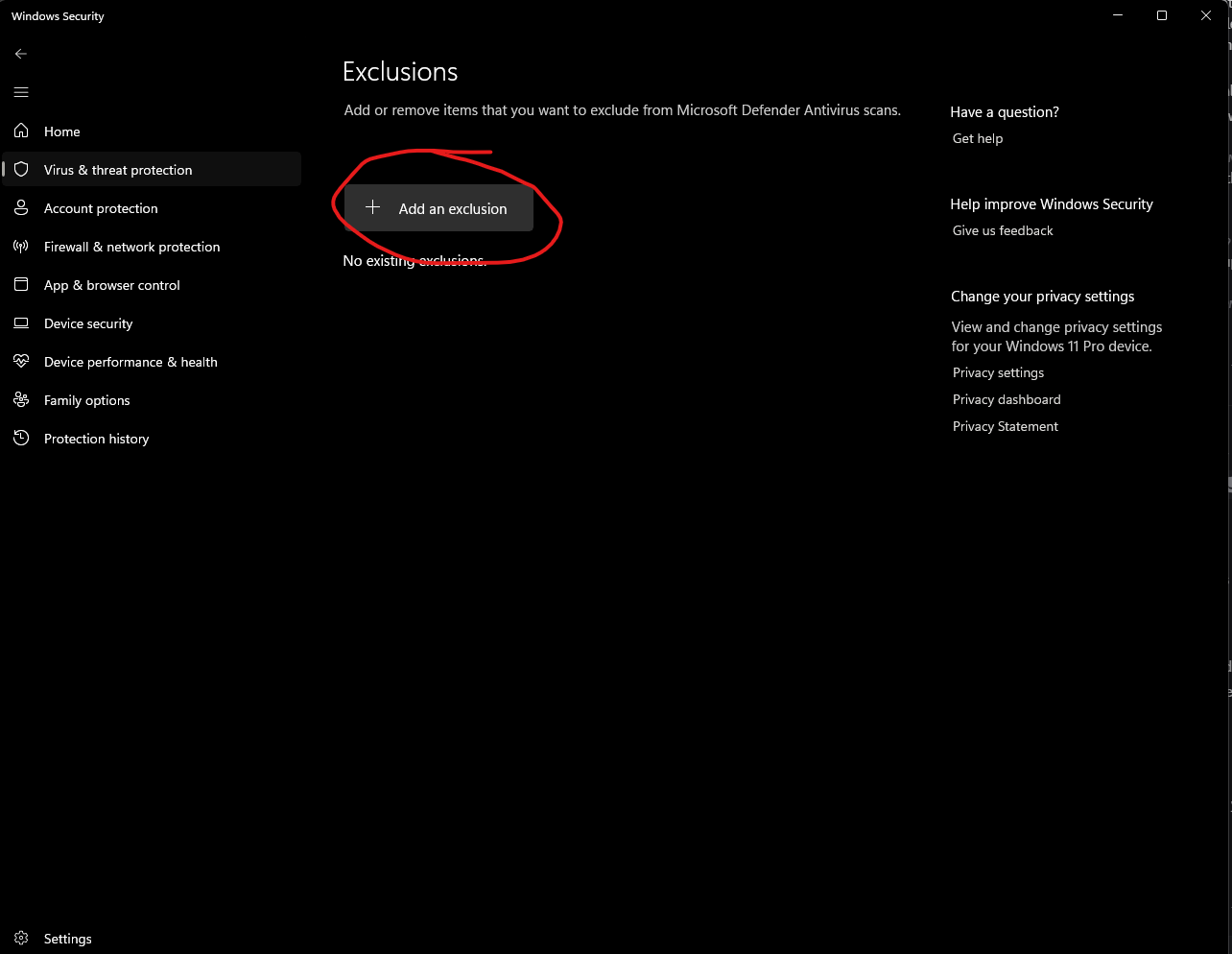
- Now the launcher has been added as an exclusion, go back to the virus protection page and turn real-time protection back on.
- Run the launcher to make sure everything still works.
The game launches but it says the server is not available.
If you're based in Russia or another country with a firewall that blocks VPNs, please message an admin directly via Discord (or Email) and we'll see what we can do. If not:
This means that one of the following is the case:
- The game server you're trying to connect to is running on the wrong IP.
- You're trying to connect to a game server via WireGuard, but aren't connected.
- The game server's machine is blocking connections via a firewall.
- The game server isn't running.
- Your internet connection is down.
- Your server IP is misconfigured.
Your first step is to run ping onlineconfigservice.ubi.com in a command prompt.
If this successfully pings the IP address you entered and NOT 10.8.0.21, you can rule out cases 2, 4, 5, and 6.
If it pings 10.8.0.21, you need to set the IP address in the launcher.
If it pings an address formatted as 10.8.0.X, but the pings are unsuccessful, either you or the game server is not connected to the WireGuard VPN.
Otherwise, complain to the server host.
My PS3 controller doesn't work.
Follow this tutorial. Choose the Xbox controller option in ACB.
My PS4/5 controller doesn't work.
Try following this guide. Choose the Xbox controller option in ACB.
My non-PS3/4/5 controller doesn't work properly (e.g. triggers don't work).
Downloads the xinput.asi hack and place it in the ACB game folder. This is the folder listed in the launcher and should contain a file called dinput8. Choose Xinput Controller 1 as your controller in ACB.
My controller's triggers aren't working under Linux.
- Get SDL2 Gamepad Mapper
- Map L2 as L3, R2 as R3, skip DPad down, skip L2, skip R2.
- Copy the mapping string and set it as the SDL2 gamepad mapping in Lutris or as
SDL_GAMECONTROLLERCONFIGvariable in Steam. - Launch ACB and manually map all the buttons.
Connectivity issues
(This is irrelevant while we're using WireGuard/Tailscale.)
ACB requires UDP port 7917 to be open. If a single user in the lobby is unreachable on this port, any other player with the port closed will be unable to join.
To open the port, you should look up "port forward" along with your router make and model. When asked which port to open, you only need UDP port 7917 to be forwarded to your ACB PC.
The launcher displays connectivity status at the bottom. To see if you've successfully opened the port, you'll need to restart the launcher.